
Testing
Comprehensive testing and validation guide for SureBright SFCC integration including product sync, order processing, and storefront functionality testing.
Now that you have setup all the necessary elements, you can test the functionalities on storefront. Ensure the product catalog has been exported and SureBright Product Protection is enabled on product from the Merchant Portal.
Prerequisites: Ensure you have completed the Business Manager Setup, Configuration, and Jobs phases before running tests.
Storefront Display and User Experience#
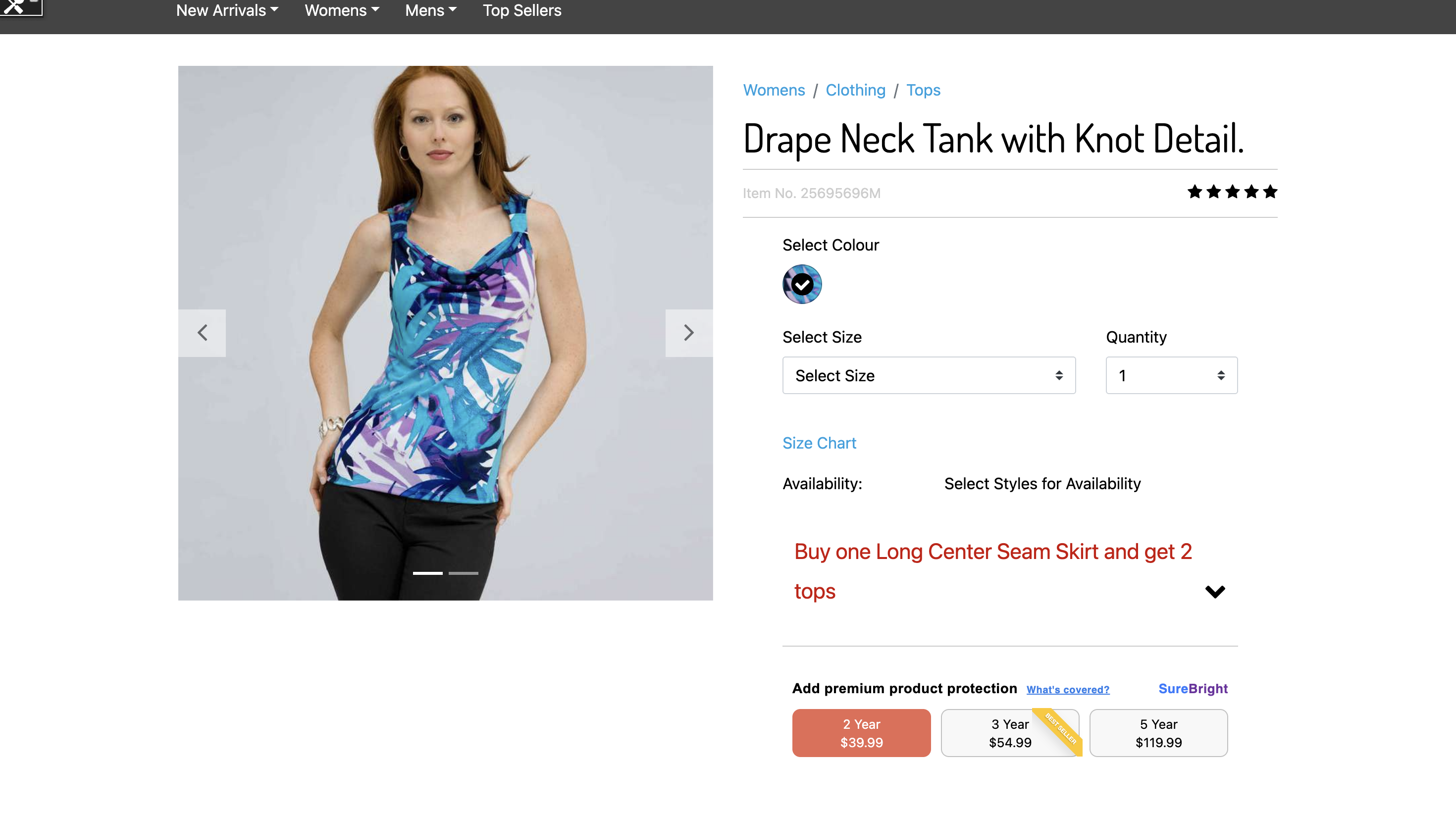
Go to any Surebright Covered Simple or Variant Product. Select a variant and you will be presented with Surebright Offering Widget to select option.
Test Scenarios#
1. Product Page Display#
Check warranty options appear on product pages
Verify warranty plan descriptions and pricing
Test warranty selection and configuration
Confirm mobile responsiveness
2. Cart and Checkout Integration#
Verify warranty products add to cart correctly
Check cart display and warranty information
Test checkout flow with warranty products
Confirm order summary accuracy
Getting Help#
If you encounter issues during testing:
Contact your SureBright representative for immediate assistance
Email support@surebright.com for technical support
✅ Testing Complete#
Great job! You have successfully completed comprehensive testing of the SureBright integration. The system is now ready for production deployment.
What's Next: Proceed to the FAQs for any questions.