

Installation guide
Install the SureBright module on your Magento store, activate it in the Magento admin and sign in to the merchant portal, so you can offer product and shipping protection on your website.
This page takes you from a Magento store without SureBright to one that is installed, authorised and ready to sell protection. It is written for the person who has SSH access to the Magento server and an admin login for Magento.
What you get on Magento#
Product and shipping protection offered on your website. Storefront widget shows what shoppers see.
A SureBright page in your Magento admin for checking status and fixing problems. See Admin panel.
Complete visibility into your warranty programme in the SureBright merchant portal.
What you need to do#
Install the module on your server#
Open each step in order and run its command.
After completing these steps, the module is installed. Next, activate it.
Activate the integration in the Magento admin#
Sign in and add a payment method#
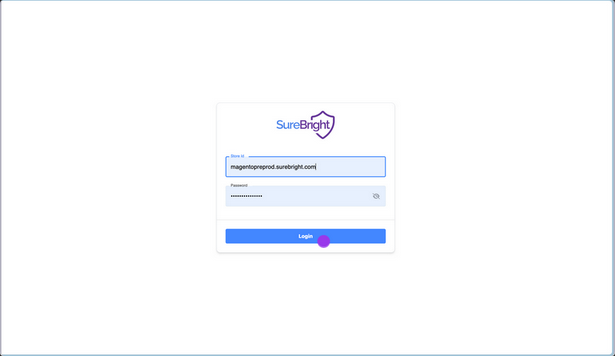
Log in to the SureBright merchant portal using the credentials shared with you. The portal gives you complete visibility into your warranty programme. If you have not received the credentials, reach out to your Account Manager.
You have now installed SureBright on your Magento store.
Related#
Admin panel: check authorisation, run the built-in checks, disable or reinstall the module.
Storefront widget: what shoppers see and what to check when offers do not show.