---
title: "SureBright on Wix: FAQs"
description: "Answers to common questions about SureBright on Wix: where the offer shows, plans in the cart, contracts, refunds, billing and claims."
---
Answers to the questions Wix merchants ask most about the offer, the cart, orders, billing and claims. For setup, see [Install SureBright on Wix](/wix/install-guide).
## Your product page
Wix places the SureBright offer just above **Add to Cart** on your product page when you install the app. To move it, open your site in the Wix Editor, go to the product page and drag the SureBright box. To remove it, select the box and delete it. Publish your site afterwards so shoppers see the change. Removing the box stops new plans being offered. Contracts already sold are not affected.
Check that:
- the product is set to **Active** in the merchant portal (**Products**) and has a SureBright category
- the offer is turned on for your store
- you published your site in the Wix Editor after installing SureBright
- your store currency is USD or CAD
No. **Buy Now** goes straight to checkout with the product alone. When your product page has Buy Now, the offer shows a short note: *Protection plans are added with Add to Cart (not with Buy Now).*
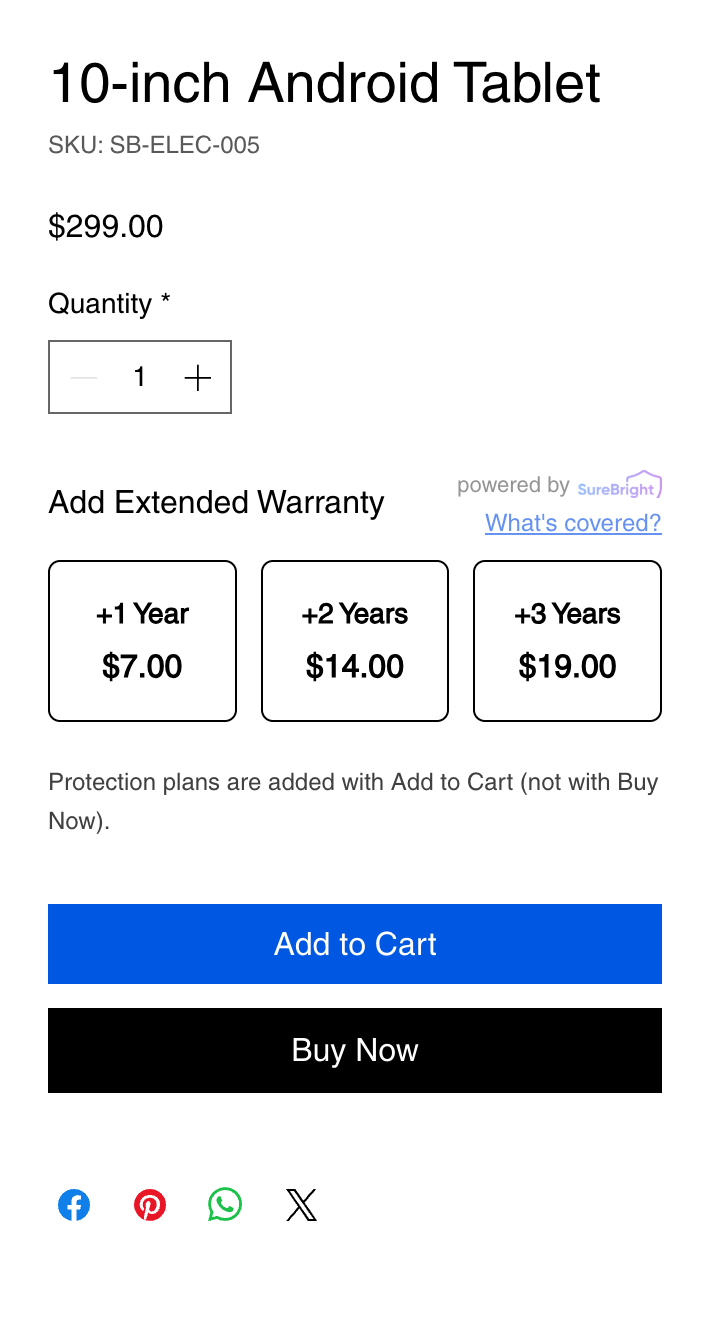 No. Plans are not products in your Wix store, so there is nothing to add to your product list or inventory.
## The cart
As its own line, for example *2 Year Protection Powered by SureBright*, at the price shown in the offer. The plan line has no **+** or **−** buttons: its quantity follows the product. To drop protection, the shopper removes the plan line with its bin.
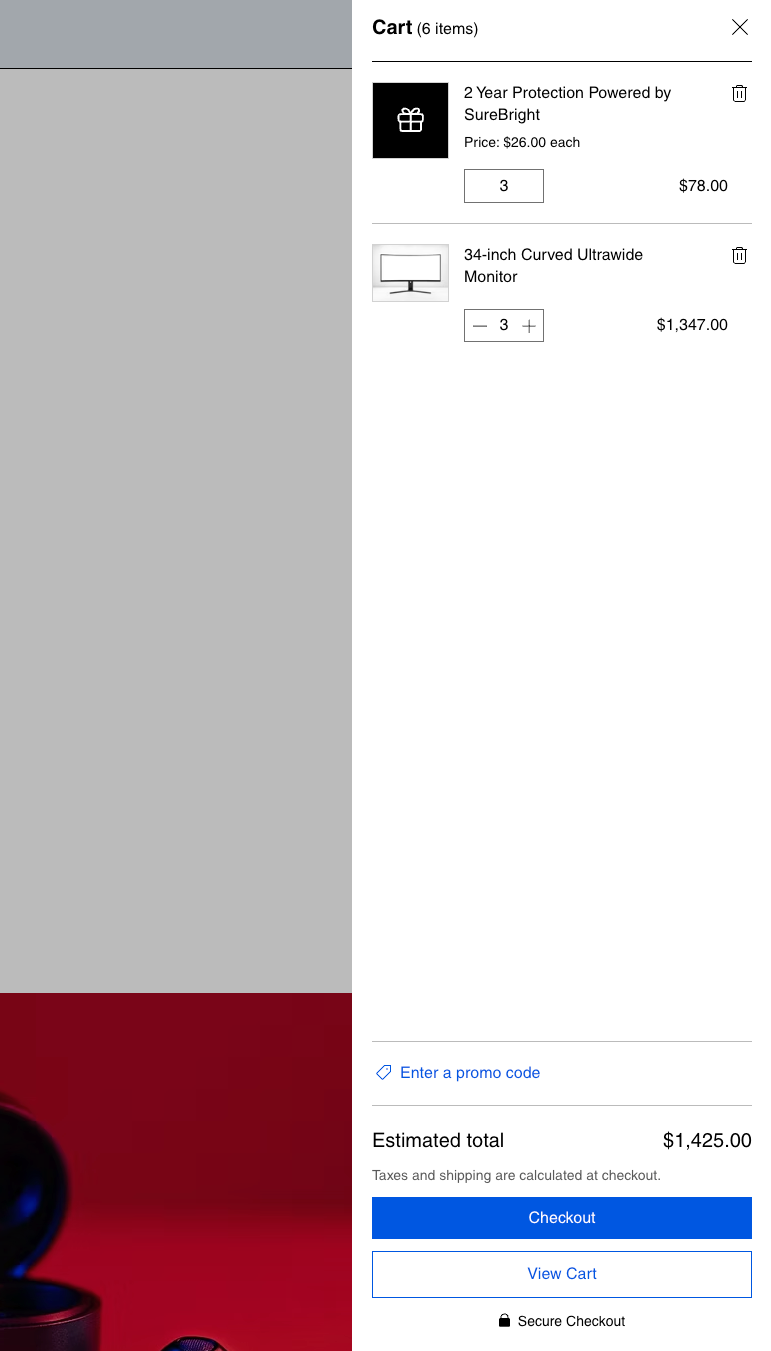 The plan follows the product within a few seconds: more units get more plans, fewer units get fewer, and removing the product removes its plan. If the shopper clicks **Checkout** straight after a change, the button dims for a moment until the plan has caught up. Checkout also stops an order that has more plans than products, or a plan without its product.
## Orders and contracts
When the order is paid. For a manual or offline payment, that is when you mark the order as paid in Wix. Each plan unit gets its own contract, so 2 tablets with 2 plans give 2 contracts. You don't need to do anything.
Wix can take a few minutes to tell SureBright about an order. If SureBright can't finish an order straight away, it tries again on its own. Nothing is lost and no contract is created twice.
Do it in your Wix dashboard as usual, and SureBright follows:
| In Wix | Contracts |
|---|---|
| Refund a plan (all or some units) | That many contracts are cancelled |
| Cancel the order | All of the order's contracts are cancelled |
SureBright can't refund a Wix order for you. Refunds are always made in Wix.
The price the customer actually paid for the product, after any sale price or coupon.
SureBright charges the payment method you add in the merchant portal (**Billing**) for the plans sold on your store: each plan's price minus your margin. Plans that are refunded or cancelled are credited against your next charge. There is no setup fee or minimum, and every charge is under **Billing > Billing History**. See [Pricing, margins and invoices](/merchant-portal/how-billing-works).
Directly with SureBright. You don't handle claims. After buying a plan, your customer receives the plan details from SureBright, including how to make a claim. They can claim any time through the SureBright customer portal, or by phone, email or chat.
A paid plan always gets a contract. If something on the order needs a check, the contract is created but held, for example when the plan's price doesn't match the price offered, the order ships outside the US or Canada, or the covered product can't be found on the order. Held contracts show the reason in the merchant portal.