---
title: "Installation Guide"
description: "Installation guide for SureBright Magento module to enable product and shipping protection on you website. "
---
## Installation Steps
### A. Module Installation Steps
Use the terminal (putty/ any ssh client) on your computer to connect to your Magento server (this is called SSH)
> ssh [username@your.server.ip](mailto:username@your.server.ip)
- Replace **username** with your actual username
- Replace \*\*your.server.ip \*\*with your server IP address or website domain name. e.g. (127.0.0.1 / [mystore.com](http://mystore.com))
- Windows users please download putty, you can visit this link to download putty https://www.wikihow.com/Use-Putty-in-Windows
Once you're connected, go to the main folder where all your store’s files are kept.
**Usually, it's /var/www/html**
> cd /path/to/magento/root
Run this command to install the integration.
> composer require surebright/integration
> bin/magento setup:upgrade
>
> bin/magento setup:di:compile
Deploy static files (like images and styles) by running
> bin/magento setup:static-content:deploy -f -j5
Refresh Magento so everything works properly by running:
> bin/magento cache:clean
After completing these steps, the integration should be successfully installed.
**You can follow the steps below to activate your SureBright Product Protection app**
### B. Activation Steps
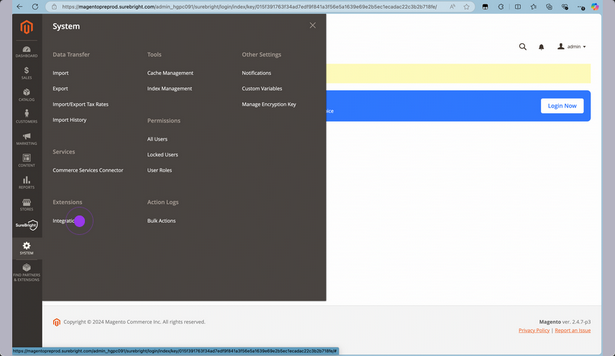
Click on the Integrations option within the Extensions heading of your System menu item
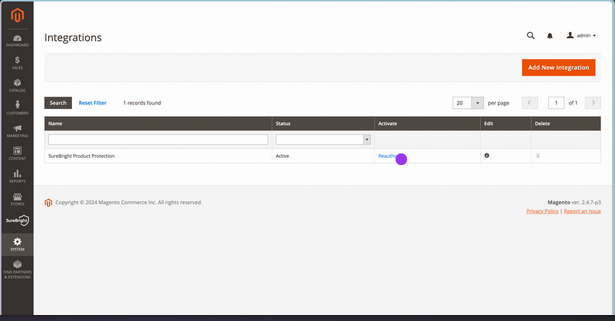
Look for SureBright Product Protection line item and click on Activate / Reauthorize option
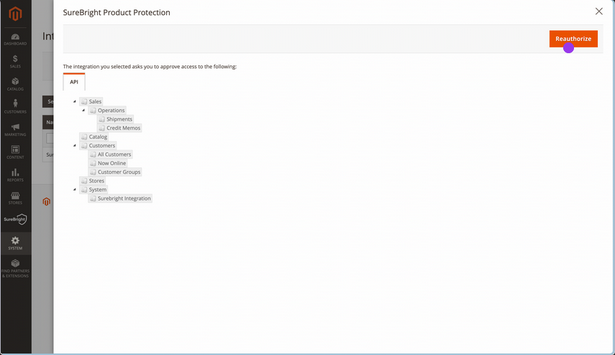
Please authorize/reauthorize the SureBright app that would help it access details like catalogue and order information required for running the warranty program
### C. Login to SureBright
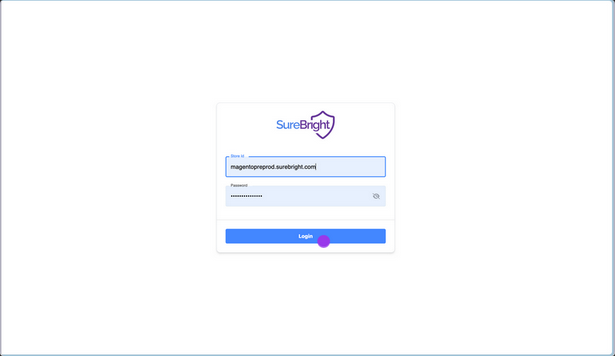
You can now login to SureBright Merchant portal using the credentials shared. This would give you complete visibility into the warranty program. If you have not received the credentials, please reach out to your Account Manager.
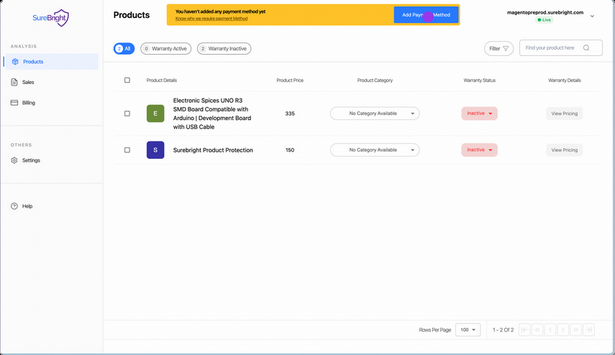
Click on Add Payment Method to provide payment details. This allows SureBright to charge for the cost of the warranty plans sold to customers, through your store. We charge at a weekly/monthly frequence as per your preference.
## ✅ **All Set\! SureBright Integration Completed**
🎉 You’ve successfully **installed** the SureBright Integration on your Magento store\!